Community-matched support for new migrants.
A solo-built SwiftUI prototype evolved from the inTouch Lean UX foundation to help new migrants find relevant mentors, AI-guided help, rental support, and legal guidance through language, community, and location context.
The UX insight
New migrants do not only need information. They need support that feels trusted, local, culturally familiar, and easy to act on.
Matching logic
Context routes support, instead of collecting profile data.
MigrantConnect is my own design and my own Swift/Xcode implementation. UX, UI, code — all me. 31 Figma screens, 53 Swift files across 8 modules, MapKit + PhotosUI integration, 33 simulator runtime screenshots, and a 1 min 48 sec demo video.
The Xcode project (53 Swift files) opens in Xcode 15+ — public GitHub repo link coming soon.
Solo project — UX, UI, Swift/Xcode all by me. Verified at the file level: I authored the Xcode project; I captured all 33 simulator screenshots within a 7-minute window on 2026-05-27; I designed all 31 Figma screens and the 2 design-system boards. No teammates contributed to this codebase or design file.
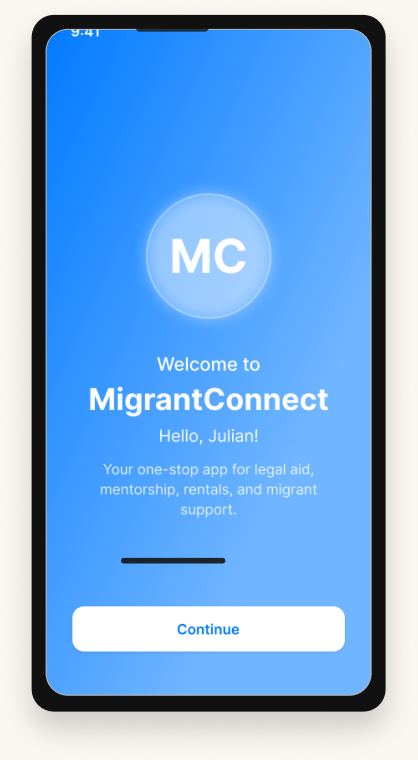
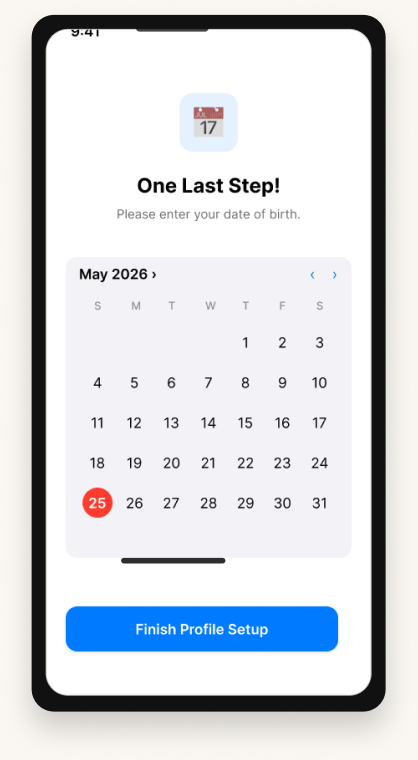
The first impression of the app: a calm Welcome screen, three-step sign-up, and a profile-setup card that lets new migrants land softly.
WelcomeScreen 01
Profile SetupScreen 04Make the first session feel calm, not bureaucratic. The welcome and profile setup screens collect only the context needed to route support: identity basics, language, nationality, and location.
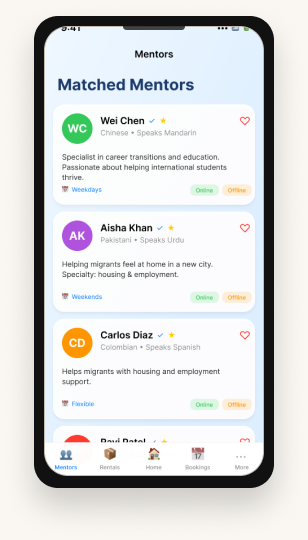
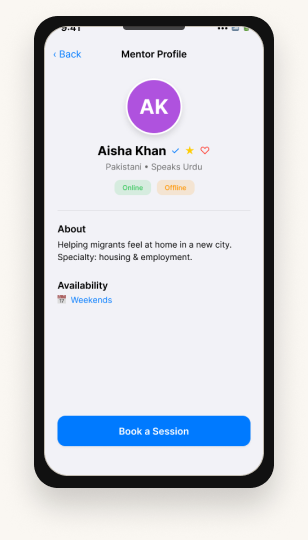
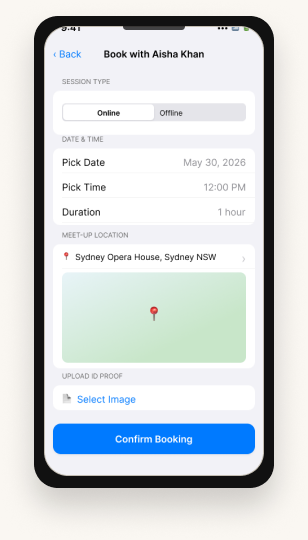
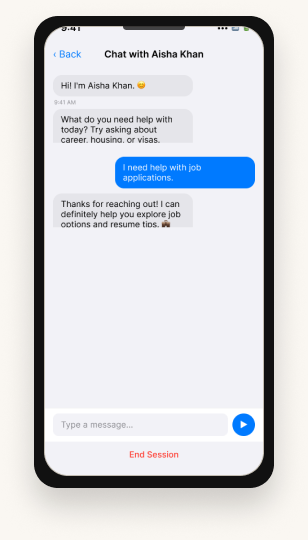
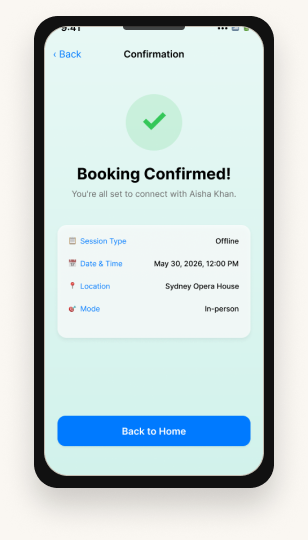
Mentor Matching is the largest module in the Xcode project (15 Swift files). The flow proves the core UX: match by community context, review trust signals, book time, continue in chat, and confirm next steps.
Community match07 · Mentor List
Mentor trust08 · Mentor Detail
Booking flow09 · Mentor Booking
Chat continuity10 · Chat
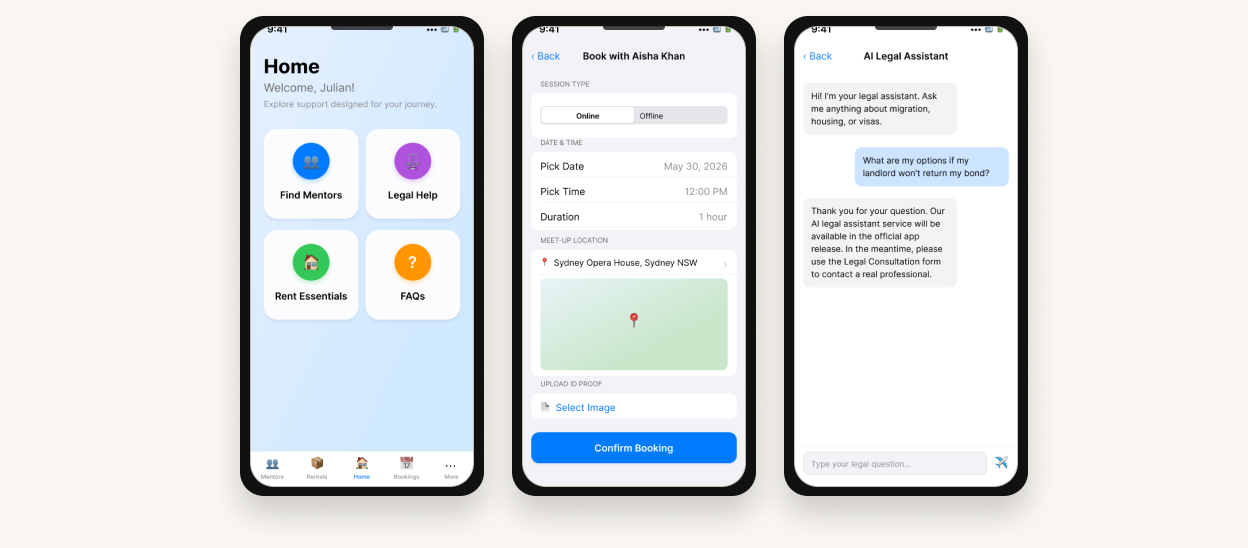
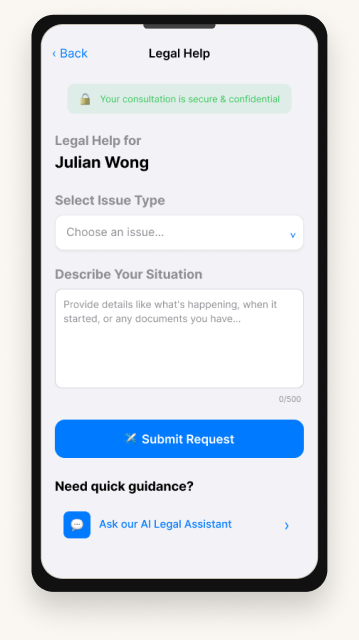
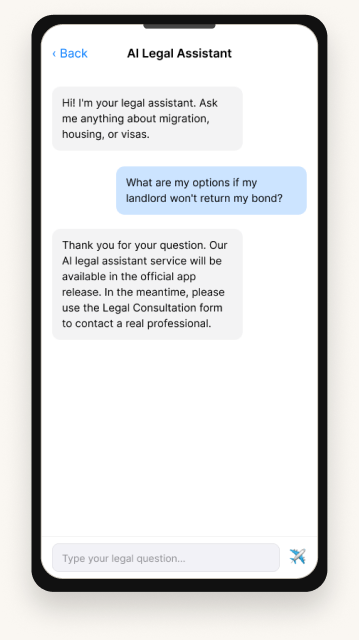
Confirmed11 · ConfirmationTwo surfaces: a structured legal-consultation form and an AI Legal Assistant — explicitly disclosed as an AI-assisted flow, not a human-staffed legal service.
Legal Consultation21
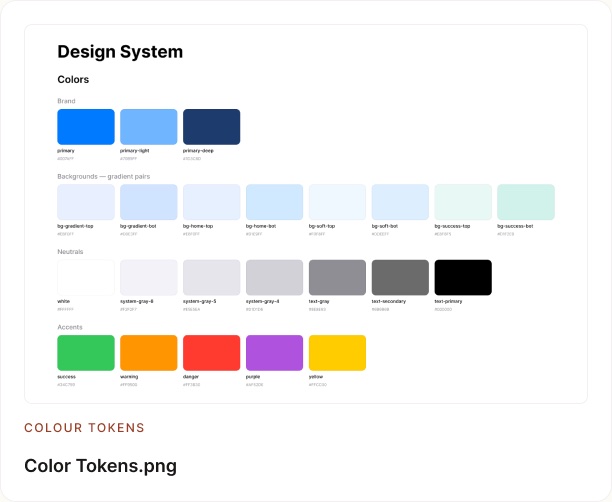
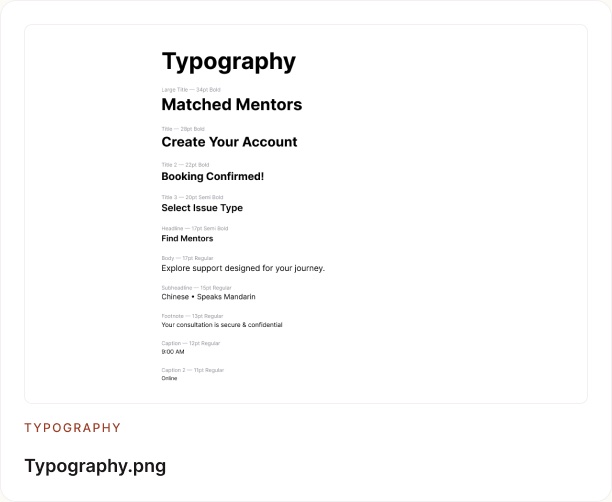
AI Legal Assistant22 · AI-assistedTwo real exports from the Figma file: a colour-token board and a typography board. These tokens are referenced in code by colour+hex.swift inside the OnBoarding module — proving the Swift codebase uses the same palette as the design.


Source · Migrant connect figma files / Color Tokens.png · Typography.png — real exports from the live Figma file.
The app is not just screens. It has a repeatable product grammar: chips for preference filtering, cards for mentor/rental choices, rows for scanning, and message bubbles for continuity.
MigrantConnect asks for language, country/community background, and location because settlement support works better when it feels culturally relevant, local, and human. The app then routes users toward mentors, AI-guided first steps, rental support, legal guidance, and ongoing messaging.
Reduces communication anxiety.
Supports culturally familiar mentor matching.
Makes help local and practical.
Lets users ask low-pressure questions before contacting someone.
The key UX move is filtering help by language, country/community context, location, and immediate support need. That turns onboarding into a matching system for mentors, rental guidance, legal help, and AI-backed support.
Needs culturally familiar support, clear next steps, and trusted people who understand the local system.
These inputs make the product feel local before the user has to search. The system can surface relevant mentors and guidance faster.
The inTouch research phase showed that early settlement is not just an information problem. New migrants face emotional isolation, untrusted guidance, language barriers, legal uncertainty, and rental risk while jumping between WhatsApp groups, government PDFs, classified apps, and word-of-mouth. MigrantConnect turns that fragmentation into a guided, community-based mobile journey.
Pain points
The project began as a group Lean UX concept about new immigrants finding experienced-immigrant support. For the portfolio version, this research foundation is compressed into one evidence strip so the solo MigrantConnect execution stays front and centre.
Each sprint folder contains screenshots, photos, and Abhay’s individual reflection PDF. This section shows the evidence trail behind the group Lean UX foundation, not a solo claim.
Four testable hypotheses, each tied to a success measure (e.g. mentor matching → time-to-settle).
In-app guide study · structured questions.
Test → refine → test.
Benchmarked Facebook & Telegram. Gap: scattered info, generic, unverified trust.
Implemented / Not table · final retro.
inTouch’s hypothesis was tightly scoped: connect new immigrants with experienced-immigrant volunteers. MigrantConnect goes further — five product areas (mentorship, legal consultation, essential rentals, in-app messaging, account) that together cover the practical and emotional friction of the first six months. Phase 2 is fully my own design and fully my own SwiftUI/Xcode build.
5 Lean UX sprints. Hypothesis, usability testing, iteration, peer review.
Used Phase 1 research foundation to define a 5-area product surface.
Solo Figma (31 screens) + solo SwiftUI build (53 Swift files, 8 modules).
The final flow is intentionally simple: ask for the user context that matters, route them to relevant community support, then keep practical help available through mentor, legal, rental, messaging, and account surfaces.
Language, country/community, and location give the product enough context to make support feel relevant.
The app routes users toward mentors and local guidance instead of a generic directory.
Users can book with community-relevant mentors and continue through chat or feedback.
AI legal first step and rental flows reduce anxiety around high-risk settlement tasks.
Inbox, account, FAQ, and settings keep support accessible after the first action.
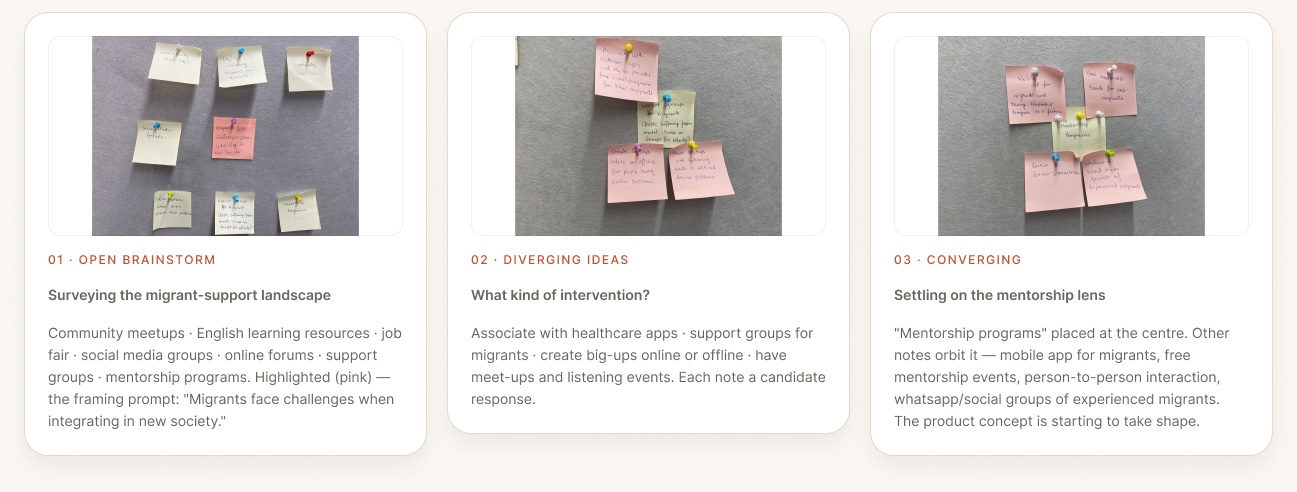
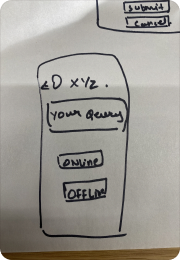
Seven of my own hand-drawn sketches that pre-date the Figma file. The first three are brainstorming exercises that explored the problem space and converged on a mentorship-led concept. The next four are paper wireframes for the Mentor Booking flow — drawn before any pixel went down in Figma.
These sketches are kept because they prove process: divergent problem exploration, convergence on mentorship, and early booking-flow thinking before the final SwiftUI prototype existed.
A reviewer can see the design did not begin as polished screens. It moved from evidence to structure to implementation.

Community meetups · English learning resources · job fair · social media groups · online forums · support groups · mentorship programs. Highlighted (pink) — the framing prompt: “Migrants face challenges when integrating in new society.”
Associate with healthcare apps · support groups for migrants · create big-ups online or offline · have meet-ups and listening events. Each note a candidate response.
“Mentorship programs” placed at the centre. Other notes orbit it — mobile app for migrants, free mentorship events, person-to-person interaction, whatsapp/social groups of experienced migrants. The product concept is starting to take shape.
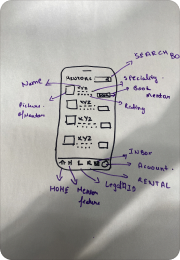
WF · 01Search box at top · Mentors heading · 4 mentor cards with Picture, Name, Specialty, Rating, “Book Mentor” · bottom nav: Home · Menu · Inbox · Account · Rental · LegalAID. Maps to screen 07 — Mentor List.
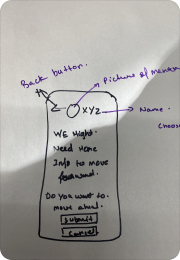
WF · 02Back button · Picture of Mentor · Name (Choose) · prompt: “We might need more info to move forward” · “Do you want to move ahead?” → Submit / Cancel. Maps to screens 08/11.
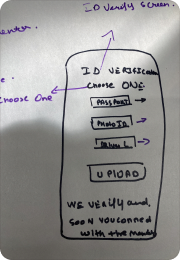
WF · 03“ID Verification — Choose ONE:” Passport · Medicare ID · Drivers Licence · Upload button · “We verify and soon you connect with the mentor.” Maps to the upload step in screen 09 — Mentor Booking.
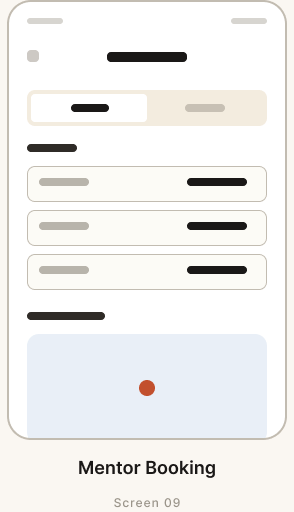
WF · 04Back arrow · “Your Query” · Online / Offline toggle. Maps to the session-type toggle in screen 09 — Mentor Booking.
All seven sketches are my own — drawn by hand, photographed unedited. Three brainstorms (ideation phase, exploring the migrant-support problem space). Four hand-drawn wireframes (Mentor Booking flow, drawn before any pixel went down in Figma). Source files: IMG_6451, 6455, 6456, 6521, 6522, 6523, 6524.HEIC.
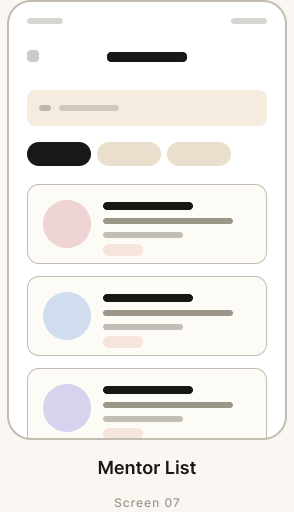
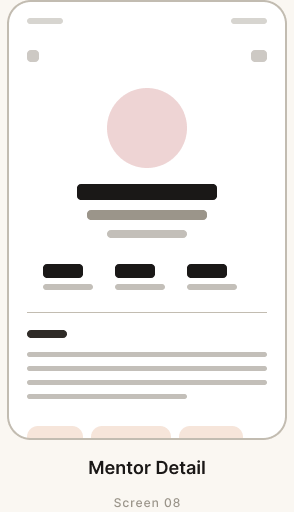
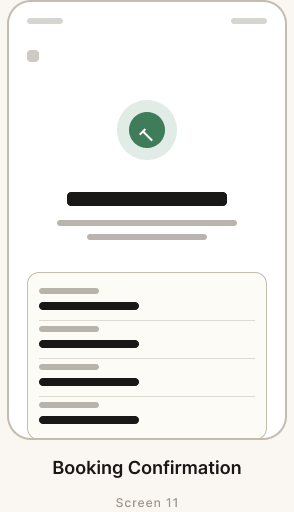
After the paper sketches, I would normally produce digital wireframes before jumping to high-fidelity. In Phase 2 I skipped that step — I went straight from the paper sketches above into Figma high-fi. To show what a clean wireframe pass looks like in my hand, I rebuilt the four-screen Mentor Booking flow as proper low-fi structure: search bar → list → detail → upload → confirmation. Same screen anatomy as the final, fewer decisions per element.
Mentor ListScreen 07
Mentor DetailScreen 08
Mentor BookingScreen 09
Booking ConfirmationScreen 11Reconstructed for portfolio · From the four paper wireframes above. Same anatomy, drawn cleanly in Figma to communicate the underlying interaction logic of the Mentor Booking flow (the largest module · 15 Swift files).
Phase 2 is the differentiator: 53 Swift files across 8 modules, MapKit and PhotosUI integrations, 33 simulator captures, and a 1:48 demo video. This section moves earlier because it proves the work is not just polished screens.
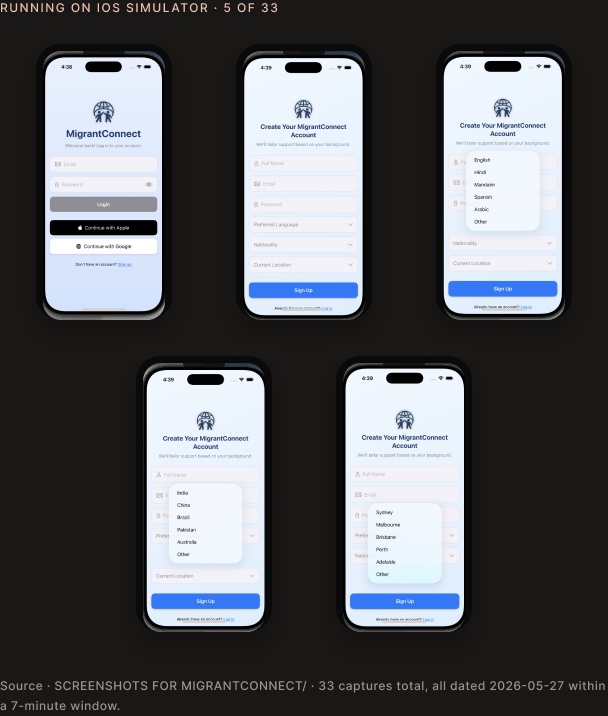
Running on iOS Simulator · 5 of 33

Source · SCREENSHOTS FOR MIGRANTCONNECT/ · 33 captures total, all dated 2026-05-27 within a 7-minute window.
Real Swift code · Migrant_connectApp.swift
// MigrantConnect · iOS · solo build import SwiftUI import MapKit @main struct Migrant_connectApp: App { @StateObject var appState = AppState() var body: some Scene { WindowGroup { RootView() .environmentObject(appState) } } }
01 · Figma prototype
All 31 designed screens, design-system boards, and prototyping connections are in the live Figma file. Click through onboarding → mentor flow → rentals → legal → inbox → settings.
figma.com/design/wNhroeTnMifzvzGxUHAOzv Open Figma →
02 · Demo video (1:48)
A 1 min 48 sec walkthrough of the SwiftUI app running on the iOS Simulator. Captured in the same 7-minute window as the 33 simulator screenshots above.
Abhay App video.mp4 · 159 MB Watch · 1:48
03 · Xcode / SwiftUI
53 Swift files across 8 modules · MapKit + PhotosUI · SwiftUI views. Open in Xcode 15+ and run on iOS Simulator (iPhone 14 Pro / 15 Pro). 33 captures above are from this exact build.
github.com/abhay/MigrantConnect View on GitHub → Repo link coming soon.This is not claimed as a shipped App Store product, TestFlight beta, or live-service launch. The claim is specific: a research-backed high-fidelity iOS concept, designed in Figma and implemented as a solo SwiftUI/Xcode prototype.
Translating Phase 1 group research into a Phase 2 solo build forced clearer MVP scoping. The five-area scope (mentor / rental / legal / messaging / account) is the result of cutting candidate features, not stacking them.
Building the SwiftUI implementation alongside Figma surfaced things pure-design work would miss. Native MapKit constraints in the address-search flow informed the final UI of “13 — Find Address.png” — the design changed because the code told me what was honest.
Mentorship was the largest Xcode module (15 Swift files) because chat, booking, and feedback are three tightly-coupled flows. Recognising this in code clarified the same coupling in the design.
The case study sells capability without pretending the app shipped publicly. The evidence is research-backed concept work, Figma UI systems, a working SwiftUI prototype, simulator captures, and demo-video proof.
inTouch Lean UX phase informed the migrant-support problem space.
MigrantConnect Phase 2 was individually implemented in Xcode/SwiftUI.
No App Store launch, live user metrics, or shipped business outcome is claimed.