Case study · MedBuddy

MedBuddy

Health records, organised — designed and built.

An iOS app for prescriptions, medicines, doctors and appointments — designed in Figma, then rebuilt in SwiftUI with a real SwiftData model layer and MapKit.

View Figma prototype View the Xcode project →
13hi-fi screens
18Swift files
3SwiftData models
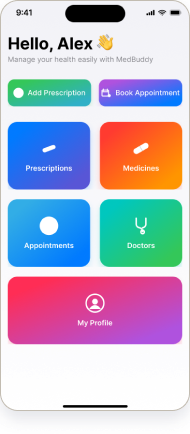
MedBuddy Home screen
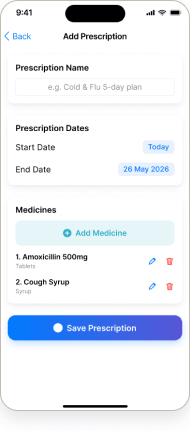
MedBuddy Add Prescription screen
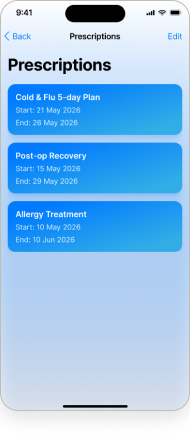
MedBuddy Prescriptions list screen
The product

MedBuddy, screen by screen.

The hi-fi interface — clean, form-first record-keeping for prescriptions, doctors, medicines and appointments.

HomeHome
Prescription ListPrescription List
Add PrescriptionAdd Prescription
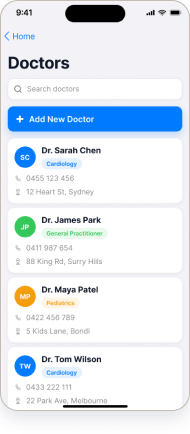
Doctor ListDoctor List
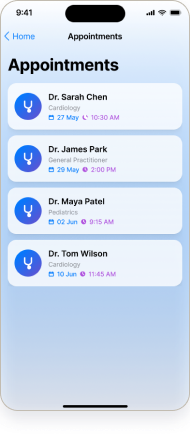
Appointment ListAppointment List
High-fidelity UI

The interface, screen by screen.

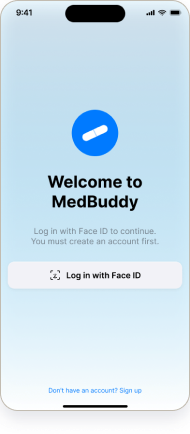
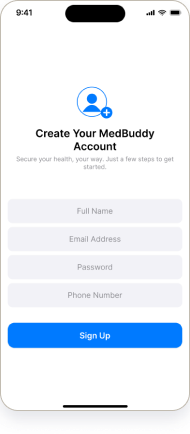
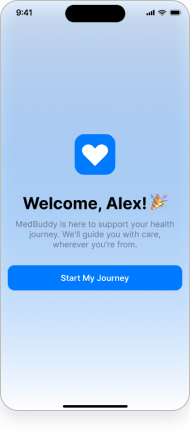
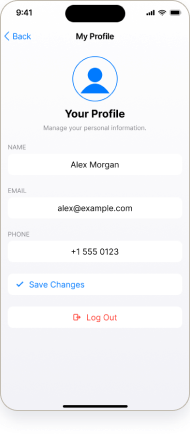
All 13 real screens from the prototype — the calm blue-and-white system across auth, home, and the four record modules.

Auth & onboarding

Login · Face IDLogin · Face ID
Sign upSign up
WelcomeWelcome

Home & profile

HomeHome
My ProfileMy Profile

Prescriptions

Add PrescriptionAdd Prescription
Prescription ListPrescription List

Doctors & medicines

Doctor ListDoctor List
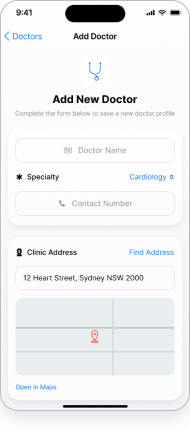
Add DoctorAdd Doctor
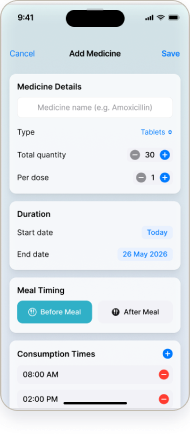
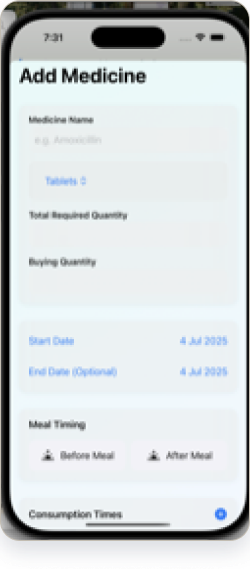
Add MedicineAdd Medicine
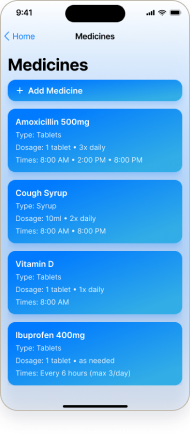
Medicine ListMedicine List

Appointments

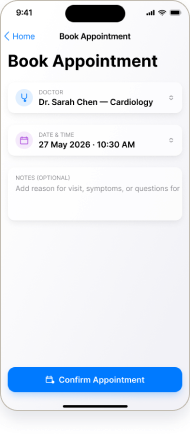
Add AppointmentAdd Appointment
Appointment ListAppointment List
Design system

A calm, consistent system.

Documented from the built screens — a trust-blue accent, a clear type ramp, and a small set of components reused across all 13 screens.

Colour

Primary#0070F0
Ink#1A1A1A
Surface#FFFFFF
Muted#6B7280
Tint#EAF2FF

Core components

Tab barCategory tileRecord cardList rowForm fieldPrimary buttonDetail headerEmpty stateSearch field
Design → code

From Figma to a running SwiftUI app.

Every screen I designed in Figma, I rebuilt in SwiftUI — backed by a real SwiftData model layer, not a static mockup.

Add Medicine screen designed in Figma
Figma design
Add Medicine screen running in the iOS simulator
Running in the iOS simulator
Prescription.swift
@Model class Prescription: Identifiable {
    var id = UUID()
    var name: String
    var startDate: Date
    var endDate: Date
    var medicines: [Medicine] = []  // SwiftData relationship
}

A real SwiftData @Model — a prescription owns its medicines (a one-to-many relationship), driving the @Query-backed lists.

Under the hood

Real architecture, not just screens.

SwiftData

@Model entities for Prescription, Medicine and Doctor — with relationships and @Query-driven lists that persist on device.

MVVM

Views, view-models (DoctorViewModel, FindAddressViewModel) and services kept separate for a clean, testable structure.

MapKit

Doctor addresses are searched and resolved with MapKit (MKLocalSearch) and shown on a map in the Add Doctor flow.

Reminders

A basic local notification flags an upcoming appointment — a small but real piece of system integration.

Project overview

A healthcare app, designed and built in code.

Problem

Personal health info is scattered across notes, messages, paper and calendars — easy to lose, easy to forget.

Product idea

One iOS app to keep prescriptions, medicines, doctors and appointments in a single, organised place.

My role

Solo — UI/UX design and the full SwiftUI build.

Tools

Figma · Xcode · SwiftUI · SwiftData · MapKit.

The build

18 Swift files · MVVM · a real SwiftData model layer + MapKit address search.

Output

13 hi-fi screens, a working SwiftUI app, and a clickable prototype.

The problem

Health, scattered across a dozen places.

Prescriptions live in a drawer, the doctor’s number in messages, the next appointment in a calendar, and the medicine schedule in your head. None of it is in one place, and the gaps are exactly where things get missed.

How might we

How might we let someone keep every prescription, doctor and appointment in one calm, trustworthy place?

Designer-framed problem for this build — no field research was conducted. Honest scope.

Who it’s for

Built for everyday health-keeping.

Someone managing personal or family healthcare — prescriptions to refill, doctors to remember, medicines to track, and appointments to keep — who wants it all in one trustworthy place rather than five.

[Designer-authored user context — not user-research-derived. This project is a design + iOS-implementation showcase, not a research study.]

Design goals

What the app had to get right.

01

One home for everything

Four record types behind a single, calm home screen.

02

Forms that don’t intimidate

Short, clear add-flows for every record — minimal fields, obvious actions.

03

Trustworthy and legible

High contrast, generous tap targets and no clutter — health info you can trust at a glance.

04

Real data, not mockups

SwiftData models so the app actually remembers what you add.

Information architecture

One home, four record types.

Reconstructed from the screens: sign in, land on Home, and manage four record types — each with the same add → list → detail pattern.

Sign in
Face ID / email
Welcome
quick intro
Home
four modules
Add
fill a short form
List
saved records
Detail
view / edit

[Flow reconstructed in Figma from the 13 screens. The same pattern serves Prescriptions, Medicines, Doctors and Appointments.]

The real artefact

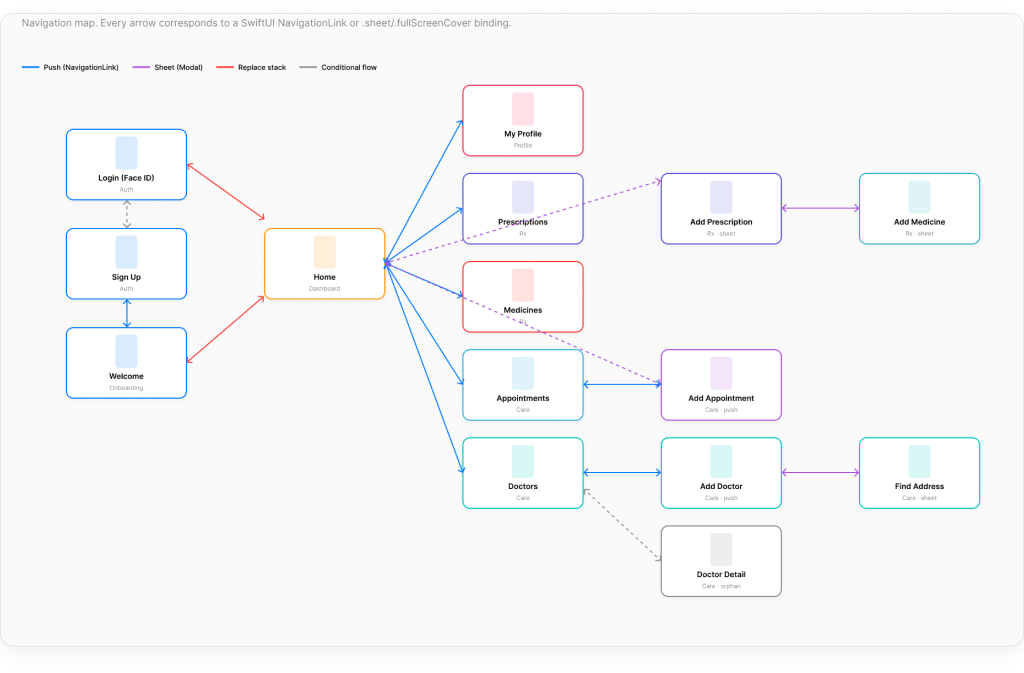
The actual SwiftUI navigation map.

MedBuddy SwiftUI navigation map — every screen connected by NavigationLink, sheet and fullScreenCover bindings, colour-coded by transition type

Exported from the MedBuddy SwiftUI build. Every arrow is a real NavigationLink, .sheet, or .fullScreenCover binding across all 15 screens — colour-coded by transition type.

Prototype & build

Designed, prototyped, and built.

The flow is clickable in Figma, and the same screens run as a real SwiftUI app on the iOS simulator. A concept build — not shipped, with no real users or usage metrics.

Open the Figma prototype View the Xcode project →
SoloiOS App Dev courseworkSwiftUI + SwiftDataConcept — not shippedNo usage metrics
Reflection

What I’d carry forward.

“Designing and building the same app taught me how a design decision actually lands in code — and which ones get expensive.”

Owning both the Figma and the SwiftUI made the data model the real design tool — a prescription that owns its medicines shaped every screen. Given more time, I’d implement real Face ID auth (it’s currently a designed screen), run usability testing, and capture more of the running app for the case study.